

Last Updated on January 24, 2026 by Vinod Saini
Are you tired of refreshing multiple websites every day just to check if a result has been declared? You are not alone. In India, over 50 million candidates apply for government exams annually, but nearly 20% miss critical deadlines simply because they didn’t get the notification in time.
Whether you are waiting for the UPSC Prelims result, the SSC CGL Tier-1 cutoff, or a Railway Group D update, speed is everything.
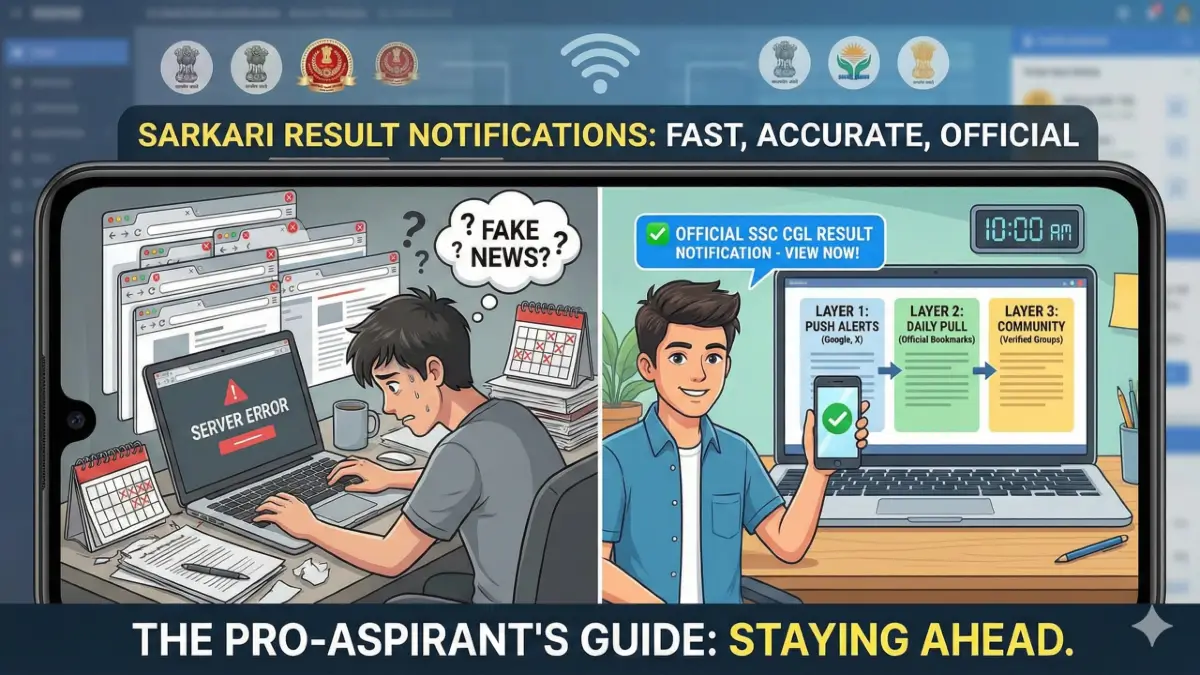
This comprehensive guide will transform how you track the latest Sarkari result notifications. We are moving beyond the basic advice of “check the website.” Instead, we will teach you the “Pro-Aspirant Digital Setup”—a system used by toppers to stay updated without wasting hours on social media.
- Why You Miss Notifications (And How to Fix It)
- The 3-Layer Notification System for Smart Aspirants
- Top 5 Apps & Tools to Track Government Job Updates
- How to Verify if a Notification is Real or Fake?
- State-Wise Guide: Where to Look?
- The "5-Minute Morning Routine" for Serious Aspirants
- Essential Documents to Keep Ready (Pre-Notification)
- Final Verdict
- Frequently Asked Questions (FAQs)
- Q1: Which is the most trusted website for Sarkari Results?
- Q2: Why is the Sarkari Result website not opening?
- Q3: How can I get free job alerts on WhatsApp?
- Q4: What is the difference between 'Sarkari Result' and 'Sarkari Naukri'?
- Q5: Can I get government job notifications by SMS?
- Q6: Is there an app for 10th Pass government jobs specifically?
Why You Miss Notifications (And How to Fix It)
Most students rely on random Telegram groups or YouTube videos for updates. This is dangerous. By the time a YouTuber makes a video, the server might already be crashed, or the “Apply Online” window might be closing.
To succeed, you need a Direct-to-Source strategy.
The “Information Gap” in Sarkari Exams
The problem isn’t a lack of information; it’s too much wrong information. Fake PDF notices often circulate on WhatsApp before official results. If you rely on these, you risk:
- Panic over fake cut-offs.
- Missing the “Objection Window” for answer keys.
- Falling for “Result Declaration” clickbait.
The Fix: You need a 3-Layer Notification System (explained below) to filter noise and get facts.
The 3-Layer Notification System for Smart Aspirants
Do not rely on just one source. Set up these three layers on your phone today.
The “Push” Method (Immediate Alerts)
This is for when you are sleeping or studying. The news comes to you.
-
Google Discover: Search for specific terms like “SSC CGL Result” or “UP Police Constable” repeatedly for 3 days. Google will start pushing updates to your phone’s left-swipe screen automatically.
-
Twitter Lists: Do not follow random accounts. Create a private Twitter List of official handles:
-
@SSCorg_in(Staff Selection Commission) -
@RailMinIndia(Railways) -
@UPSC_Official
-
-
Discussion Forums: Join niche communities like specific sub-reddits or Pagalguy forums where serious aspirants post updates faster than news sites.
The “Pull” Method (Daily Verification)
This is your manual check.
-
Official Website Bookmarks: Create a folder in your Chrome browser named “Daily Checks” containing direct links to your target boards (IBPS, RRB, SSC).
-
The “Ctrl+F5” Rule: Government websites often cache old data. Always hard-refresh the page to see the new notification link.
The “Community” Method
-
Telegram Channels: Only join channels that provide Direct PDF Links rather than links to their own ad-heavy blogs.
-
WhatsApp Channels: Many portals now have WhatsApp Channels. This is safer than groups as your number remains private.
Top 5 Apps & Tools to Track Government Job Updates
In 2026, if you are not using automation tools, you are falling behind. Here is a comparison of the most effective tools for tracking Sarkari Naukri updates.
| Tool Name | Best For… | Cost | Pros | Cons |
| Sarkari Result Official App | General Updates | Free | Fast loading; covers all states. | Heavy ads; generic notifications. |
| Telegram (Official Channels) | PDF Downloads | Free | Instant file sharing; no server crash issues. | High risk of fake news forwarding. |
| Twitter (X) | Official Confirmations | Free | Direct info from Chairmans/Ministers. | Hard to find links amidst political posts. |
| Testbook / Adda247 App | Exam Analysis | Freemium | Good for “Expected Cutoff” analysis. | Notifications are often marketing-heavy. |
| RSS Feed Reader | Tech-Savvy Users | Free | Clean feed from 50+ sites in one place. | Requires initial setup time. |
Pro Tip: Use an RSS Reader app (like Feedly). Add the RSS feeds of the official “What’s New” sections of regional websites (like
uppsc.up.nic.in). You will get the notification the second it is uploaded to the server, often minutes before it hits the homepage.
How to Verify if a Notification is Real or Fake?
This is the most critical skill. Every year, thousands of students are scammed by fake “Appointment Letters” or “Result PDFs.”
The “URL Test”
Always look at the domain extension.
-
✅ Real:
.gov.in,.nic.in,.org.in(sometimes),.ac.in(for Universities). -
❌ Fake:
.com,.net,.org(usually),.tk,.xyz.-
Example:
ssc.gov.inis real.ssc-cgl-result.comis fake.
-
The “Recruitment Number” Check
Every official notification has an Advt. No. (e.g., Advt No. 03/2025/CGL).
-
Copy this number.
-
Paste it into Google along with the department name.
-
If no official PDF pops up from a
.gov.insite, it is likely a scam.
Digital Signature Verification
Modern result PDFs from agencies like NTA or SSC often have a Digital Signature (a green tick mark in Adobe Reader). If the PDF looks like a scanned photocopy with blurred text, treat it with suspicion.
State-Wise Guide: Where to Look?
India is vast. A central “Sarkari Result” page might miss a local Panchayat vacancy in Bihar or a Forest Guard update in Karnataka. Here is where you should look based on your region.
For North India (UP, Bihar, Delhi, Rajasthan)
-
UPSSSC & UPPSC: For notifications regarding Lekhpal, RO/ARO, and Police.
-
BPSC & BSSC: Critical for Bihar teaching and administrative exams.
-
DSSSB: The go-to for all Delhi government teaching and clerical jobs.
For Banking Aspirants (Pan-India)
-
IBPS Official Site: Unlike other jobs, banking results are very punctual.
-
SBI Careers Page: SBI does not use IBPS; they have their own portal. Always check the ‘Join SBI’ link in the footer of sbi.co.in.
For Defence & Railways
-
Join Indian Army / Navy / Air Force: These sites have strict captcha and security. Do not trust third-party mirrors.
-
RRB Regional Sites: Remember, RRB has 21 different regional websites (RRB Allahabad, RRB Mumbai, etc.). Results are often released regionally, not centrally.
The “5-Minute Morning Routine” for Serious Aspirants
Stop scrolling Instagram reels. If you want a government job, your morning digital hygiene matters. Follow this routine every day at 10:00 AM (when offices open) or 6:00 PM (when most notices are uploaded).
-
Open your “Sarkari” Bookmark Folder (Right-click “Open All”).
-
Scan the “Latest News” Marquee: Look for keywords like “Corrigendum,” “Result,” or “Admit Card.”
-
Check your Email Spam Folder: Sometimes, admit card emails land in Spam.
-
Briefly Check Twitter: Search for hashtags like https://www.google.com/search?q=%23SSC_Result to see if there is any movement or protests regarding delays.
-
Close Everything: If there is no update, close the tabs. Do not start reading “Result speculation” articles. They waste your study time.
Essential Documents to Keep Ready (Pre-Notification)
When a notification drops, the server traffic spikes. If you are scrambling to find your documents, the site might crash before you apply. Keep these digitized and ready in a DigiLocker or Google Drive folder:
-
Scanned Passport Photo: Keep 3 versions (White background, Blue background, Date printed at bottom).
-
Signature: Blue ink and Black ink versions.
-
Caste/EWS Certificate: Ensure it is valid for the current financial year. This is the https://www.google.com/search?q=%231 reason for document verification rejection.
-
10th/12th Marksheets: Scan both sides (front and back).
-
Thumb Impression: Left and Right thumb scans (required for many Railway exams).
Final Verdict
In the race for a Sarkari Job, information is power. The candidate who finds out about the “Application Correction Window” or the “Revised Answer Key” first has a distinct advantage.
Don’t leave your career to chance. Bookmark the official sites, clean up your social media feeds to focus on updates, and follow the 3-Layer Notification System we outlined above.
Frequently Asked Questions (FAQs)
Q1: Which is the most trusted website for Sarkari Results?
Ans: While private aggregators like SarkariResult and FreeJobAlert are excellent for quick updates, the only 100% trusted source is the official government website of the conducting body (e.g., ssc.gov.in, upsc.gov.in). Always cross-check private alerts with the official source.
Q2: Why is the Sarkari Result website not opening?
Ans: High traffic usually causes server crashes immediately after a major result (like GD Constable or RRB NTPC) is declared. Solution: Try accessing the site in “Incognito Mode,” use a different browser (Edge/Firefox), or try the mobile data network instead of Wi-Fi.
Q3: How can I get free job alerts on WhatsApp?
Ans: Many portals offer free WhatsApp services. However, to avoid spam, we recommend joining the Official WhatsApp Channels of major education news providers or the specific coaching institutes you follow. Be careful of groups that ask for money to “reveal” results early.
Q4: What is the difference between ‘Sarkari Result’ and ‘Sarkari Naukri’?
Ans: ‘Sarkari Naukri‘ refers to the Job Notification (vacancy announcement, syllabus, eligibility). ‘Sarkari Result’ specifically refers to the Outcome (cutoff marks, merit list, answer key) of the exam you have already taken.
Q5: Can I get government job notifications by SMS?
Ans: The government’s NCS (National Career Service) portal offers SMS alerts. You can register at ncs.gov.in. Private websites also offer this, but they often sell your data to colleges, so use them with caution.
Q6: Is there an app for 10th Pass government jobs specifically?
Ans: Most apps cover all jobs, but you can use filter features in apps like https://www.google.com/search?q=Naukri.com or LinkedIn to set alerts specifically for “10th Pass” or “Group D” roles.